For a 70-square-mile island in the southern Caribbean, Aruba is shockingly well wired: most resorts blanket their public areas in free WiFi, the airport has reliable free internet the moment you clear customs, and 5G now reaches the Palm Beach hotel strip and Noord. So if you have been quietly worrying “will I even have a signal in Aruba?”, you can relax. The real question is not whether you will be connected, but which option keeps you online for the least money and hassle. Buying a tourist aruba sim card from a local carrier is usually the cheapest way to get fast, reliable data, but a travel eSIM can have you online before you even taxi to the gate, and for some short-stay travelers the resort WiFi alone is plenty.
The short answer: Aruba has two mobile carriers, SETAR and Digicel, and both sell prepaid tourist SIMs with generous data right at Queen Beatrix International Airport. Expect to pay roughly US $20-50 for a week of data depending on the plan. If you would rather skip the queue, buy a travel eSIM (Airalo, Holafly, Nomad and similar) online before you fly. Leave international roaming for last-resort convenience only.
By the ArubaTourism.org team — Last updated June 2026.
This guide walks through every realistic way to stay online in Aruba: the two local carriers and what they cost, exactly where to buy and activate a SIM, how travel eSIMs compare, when roaming actually makes sense, how good the WiFi and mobile coverage really are, the phone-unlocking and ID details nobody warns you about, and a quick “which option suits which traveler” cheat sheet. Prices and data amounts move around, so treat the figures here as ballpark “as of 2026, check current” numbers rather than guarantees, and confirm the exact plan at the counter or on the carrier’s site before you pay. For the bigger picture on arriving prepared, this article sits inside our broader Aruba travel tips and essentials hub.
Connectivity in Aruba: better than you expect
Travelers often picture Caribbean islands as patchy-signal escapes where you happily go offline for a week. Aruba is not that island. As the most-visited and most developed of the Dutch Caribbean “ABC” islands, it has invested heavily in telecoms, and it shows. The two carriers run dense 4G/LTE networks across the populated west coast, and 5G has rolled out across the busiest tourist zones. Whether you are checking into a Palm Beach high-rise, sipping a smoothie in Oranjestad, or driving out to Arikok National Park, you will have a usable signal far more often than not.
That said, “well connected” is not the same as “connected everywhere equally.” Signal thins out in the rugged interior and along the wild, windswept north and east coasts, where there is very little development. And while nearly every hotel offers free WiFi, that WiFi frequently struggles the moment you actually want to use it — video calls stutter, and the signal rarely follows you down to the beach or pool deck. That gap between “there is WiFi” and “the WiFi works for what I need” is exactly why so many visitors end up buying a local SIM or an eSIM anyway.
Here is the practical takeaway: you almost certainly will not be stranded without any connection in Aruba, so do not panic-buy the first expensive roaming pass your home carrier pushes at you. Take a breath, read this guide, and pick the option that matches how much data you will really use and how much fuss you are willing to tolerate. If your trip planning also involves working out transport from the airport and around the island, pair this with our guide on getting to and around Aruba.
The two local carriers: SETAR vs Digicel
Aruba’s mobile market is a straightforward duopoly. SETAR (the government-owned national telecom, pronounced “see-tar”) and Digicel (the Caribbean-wide operator) both run their own networks and both sell prepaid tourist SIMs and data plans. There is no wrong choice here — both will keep you connected across the hotel zones — but they differ in small ways that matter depending on your trip.
SETAR is the incumbent. It runs an extensive fiber and mobile network, and its tourist SIM counter at the airport accepts cash (US dollars and Aruban florins) as well as cards, which is handy if you have not pulled out local currency yet. SETAR also operates a paid public WiFi service branded “WiFi Aruba,” with hotspots dotted around the island, including some near the beaches. SETAR does not currently offer eSIMs to tourists — it sells physical SIM cards only.
Digicel is the regional challenger and, by most recent traveler accounts, edges ahead on raw data speed and the reach of its faster 4G+/5G coverage around the island. Its airport store keeps longer hours but typically accepts credit cards only (no cash). Crucially for modern phones, Digicel does sell eSIMs to tourists at its airport store, so you can get a local Aruban number on an eSIM-only handset without swapping anything physical.
Both carriers issue you a local number beginning with the Aruba country code +297. Locals call a prepaid SIM a “chippie,” so do not be confused if a shop assistant or your Airbnb host uses that word. Whichever you choose, the single most important step is to let the staff configure your phone’s APN (Access Point Name) settings at the counter — get that right and your data simply works; skip it and you may stare at a connected-but-dead signal.
SETAR vs Digicel at a glance
| Feature | SETAR | Digicel |
|---|---|---|
| Type | Government-owned national telecom | Caribbean-wide private operator |
| Airport store payment | Cash (USD & florin) and cards | Credit card only (no cash) |
| Airport store hours (approx.) | ~9am-1pm & 2pm-5:30pm daily | ~9am-8pm daily |
| Offers tourist eSIM? | No — physical SIM only | Yes — eSIM or physical SIM |
| Coverage & speed reputation | Solid in hotel zones; reliable | Often faster; widest 4G+/5G reach |
| Hotspot/tethering | Allowed on unlimited plans | Allowed (check plan) |
| Public WiFi service | “WiFi Aruba” paid hotspots | — |
Which carrier should you pick? If you want the simplest possible transaction with cash in hand, or you specifically want SETAR’s beach-capable WiFi Aruba hotspots, go SETAR. If you have an eSIM-only phone, want the longest airport opening hours, or simply want the fastest data and widest fast-coverage footprint, lean Digicel. For most one-week beach holidays the difference is marginal — buy whichever counter has the shorter queue when you land.
Where to buy your aruba sim card and how to activate it
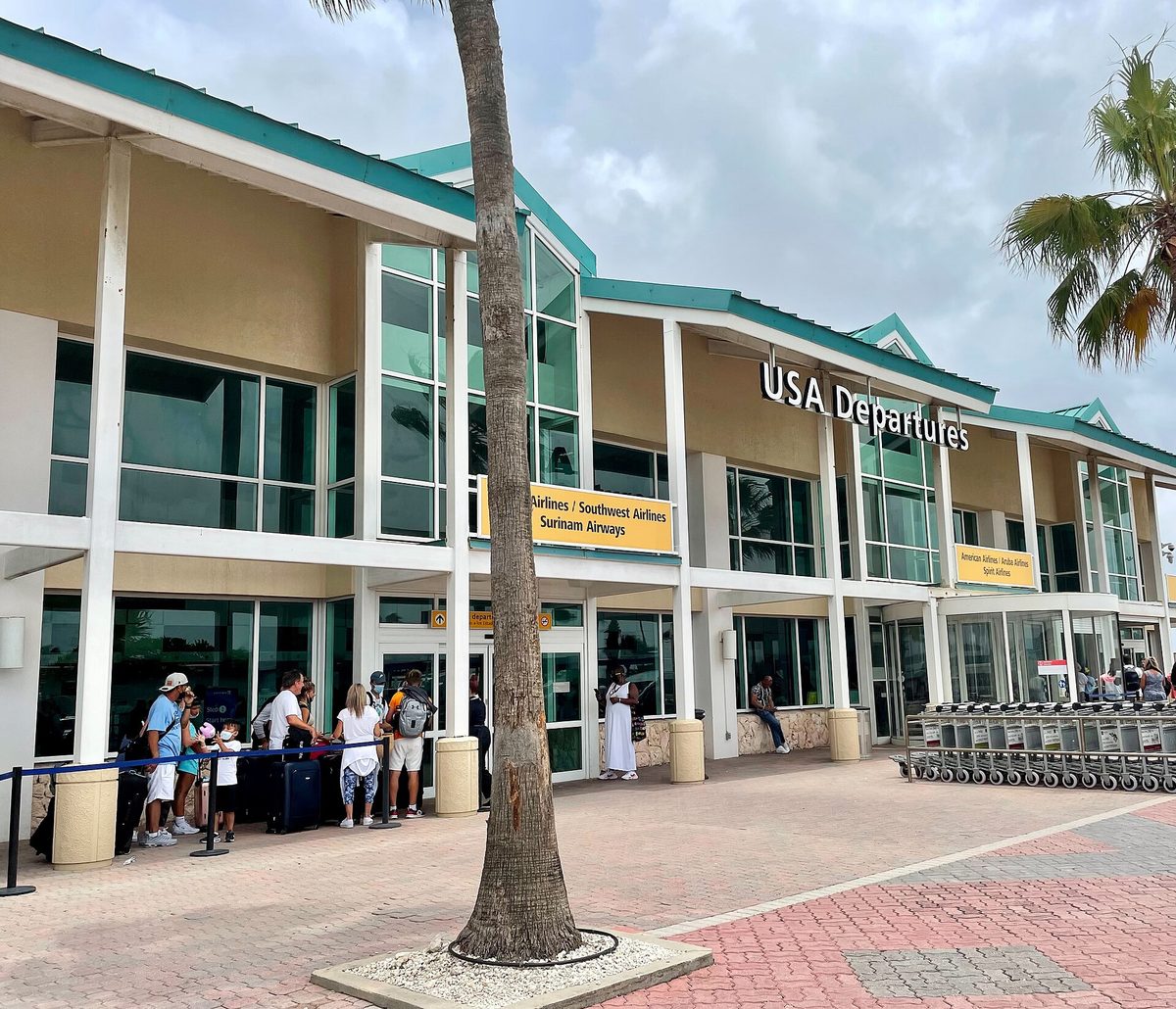
The single easiest place to buy a SIM is the moment you land. After you collect your luggage and pass the customs check at Queen Beatrix International Airport, you walk through the sliding doors into a small arrivals hall that has just a handful of outlets — and two of them are the carrier shops. The Digicel store is on your right; the SETAR store (and a Cinnabon) on your left. You can be holding an activated local SIM within a few minutes of clearing the airport, which is why most visitors simply buy there and move on.
A few airport realities worth knowing. The shops keep limited hours, so a very early or very late flight can land you when both are shut — fortunately the airport’s free WiFi is genuinely good and will tide you over until they open. Airport pricing is “tourist pricing”: convenient, but a little higher than what you would pay in town. And remember the payment quirk — Digicel at the airport is card-only, while SETAR also takes cash.
Buying in Oranjestad, Palm Beach and supermarkets
If you would rather save a few dollars, both carriers have full retail stores within walking distance of central Oranjestad, and there are Digicel and SETAR kiosks inside larger supermarkets such as Superfood. Plans bought away from the airport tend to be a bit cheaper, and recharge (“top-up”) cards are sold all over the island — supermarkets, gas stations, pharmacies, many bars and restaurants, and CMB bank ATMs. The trade-off is time: the official carrier stores in town can have long waits, so weigh a few saved dollars against standing in a queue on your vacation. If you are staying in the high-rise hotel district, the Palm Beach and Noord area also has carrier outlets and plenty of top-up points within easy reach of where most visitors stay in Aruba.
Activation, ID and APN settings
Activation in Aruba is refreshingly low-friction. Unlike many countries, you generally do not need to show a passport to buy a prepaid tourist SIM — there is no mandatory SIM-registration step for visitors, though it is sensible to carry ID anyway. The staff will pop the SIM in for you (or send the eSIM QR code), top it up, and — most importantly — set your phone’s APN so data flows. If you install an eSIM yourself from home, the provider’s app walks you through a QR scan and the correct settings automatically. Either way, once the APN is right, you are online; if data refuses to connect, that setting is the first thing to check. Planning your spending? Factor a SIM or eSIM into the connectivity line of your Aruba vacation cost budget — it is one of the smaller and more worthwhile expenses of the trip.
Prepaid tourist plans and prices
Both carriers package data-focused tourist plans in tiers, from a couple of days of unlimited data up to a month of capped data. The figures below are representative of recent pricing (think 2024-2026) and are quoted in US dollars, which is what the tourist counters generally use even though the local currency is the Aruban florin. Treat every number as “around” and “as of 2026, check current” — carriers reshuffle plans and prices regularly, so confirm the exact deal before you pay.
Sample SETAR tourist plans
- Unlimited data, 3 days — around US $24 (airport)
- 5 GB data, 7 days — around US $27 (airport)
- Unlimited data, 7 days — around US $33 (airport)
- 10 GB data, 30 days — around US $50 (airport)
- In-town SETAR stores often run cheaper, e.g. unlimited 3 days ~US $15 or unlimited 10 days ~US $28
SETAR’s tourist SIMs are typically data-only; if you want to make local calls, add a few dollars of calling credit at the counter — it is cheap. SETAR permits hotspot/tethering on its unlimited plans, so you can share your connection with a laptop or a travel companion’s phone.
Sample Digicel tourist plans
- 35 GB data + 30 minutes of calls, 7 days — around US $30 (airport)
- Unlimited data + 60 minutes of international calls, 14 days — around US $50 (airport)
- In-town Digicel plans, e.g. unlimited 3 days ~US $16, or unlimited 7 days ~US $25
Digicel’s airport plans bundle a little call time, which is convenient if you want to phone a tour operator or restaurant locally. As a rough benchmark, the Aruba Tourism Authority notes a basic data SIM can cost about US $21 — so if you are quoted wildly more, ask about a smaller plan.
How much data do you actually need?
For a typical beach holiday — maps, messaging, social media, the odd video call home and uploading photos — most couples find 5-10 GB comfortably covers a week, and an “unlimited” plan removes the anxiety entirely if you stream or tether. Light users who lean on resort WiFi for the heavy lifting can get by on far less. Heavy streamers, remote workers and anyone tethering a laptop should go straight for an unlimited or large-bucket plan. When in doubt, start with a 7-day unlimited plan; topping up later is easy, and running dry mid-trip is the real annoyance.
| Traveler | Rough weekly data | Sensible plan |
|---|---|---|
| Light user (WiFi most of the time) | 1-3 GB | Small bucket or short unlimited |
| Typical couple on a beach week | 5-10 GB | 5-10 GB plan or 7-day unlimited |
| Heavy streamer / family sharing | 15 GB+ | 7-day unlimited (with tethering) |
| Remote worker / long stay | Lots | Unlimited or 30-day large bucket |
Aruba eSIM options: connected before you land
If your phone is one of the many recent models that support eSIM — most iPhones from the XS onward and a growing list of flagship Android handsets — a travel eSIM is the most frictionless way to arrive online. You buy a data plan from a provider’s app or website before you fly, receive a QR code, scan it, and your phone is ready to connect to an Aruban network the instant the plane’s wheels touch down. No queue, no counter, no fiddly nano-SIM tray.
Treat eSIM providers as a category rather than a single recommendation. The well-known international names that cover Aruba include Airalo, Holafly, Nomad, Saily, Ubigi and others; the Aruba Tourism Authority itself name-checks Airalo, Holafly and Nomad as examples. Plans range from tiny 1 GB allowances up to unlimited-data passes, and prices shift constantly, so compare a couple of providers for your dates rather than grabbing the first banner ad. Many run on a local carrier’s network behind the scenes (Aruba-only data eSIMs frequently ride the Digicel network), which is why coverage is generally as good as a physical local SIM.
eSIM pros and cons
The upside: you are connected immediately on arrival, there is zero language barrier or store queue, you keep your home SIM active in the phone for calls and texts, and you can buy or top up from anywhere. For a short trip where every hour counts, that convenience is genuinely valuable.
The trade-offs: per-gigabyte, eSIMs are usually pricier than a local prepaid SIM bought on the island — an Aruba-only eSIM can run on the order of US $9-10 per gigabyte, versus far more generous buckets from SETAR or Digicel for similar money. Most travel eSIMs are also data-only (no local phone number for calls or SMS, though WhatsApp and FaceTime over data work fine), and your phone must be both unlocked and eSIM-capable. Region-wide Caribbean eSIMs cost more still but make sense if your trip hops between islands.
Bottom line: choose an eSIM if you value arriving already online and do not mind paying a small premium for it; choose a local physical SIM if you want the most data for your money and do not object to a short stop at the airport counter.
Roaming vs local SIM vs eSIM: the honest comparison
The third path is to do nothing and let your home carrier roam. It is the most expensive option by a wide margin unless you have a specific roaming add-on. Without a plan, US carriers can charge roughly US $2-3 per minute for calls and steep per-megabyte data — a single 20-minute call could top US $60, and background app data adds up fast. Some carriers do offer a flat daily international pass (often around US $12 a day) with home-like calls and texts; if your stay is only a couple of nights and you barely use data, that simplicity can be worth it. For anything longer, a local SIM or eSIM wins on cost decisively.
| Local SIM (SETAR/Digicel) | Travel eSIM | Home-carrier roaming | |
|---|---|---|---|
| Best for | Most travelers; best value | Quick setup, eSIM phones | Very short stays; convenience |
| Cost for data | Lowest (big buckets/unlimited) | Moderate (premium per GB) | Highest (unless flat pass) |
| Setup effort | Buy & activate on arrival | Buy online, scan QR at home | None — it just works |
| Local phone number | Yes (+297) | Usually no (data-only) | Keeps your home number |
| Keep home number active | Need second SIM/eSIM slot | Yes (home SIM stays in) | Yes |
| Phone must be unlocked | Yes | Yes (and eSIM-capable) | No |
| Coverage | Excellent (native network) | Excellent (rides local net) | Good (roams on local net) |
WiFi in Aruba: where it is free, fast, and frustrating
WiFi is everywhere in tourist Aruba, but its quality is wildly uneven, and understanding the pattern saves a lot of grumbling. The good news first: free WiFi is genuinely widespread in the places you spend time. Almost every hotel and resort offers complimentary WiFi in guest rooms and public areas, the airport’s free WiFi is fast and reliable, and you will find open or password-protected networks in shopping malls, bars, cafés and restaurants, plus chains like Starbucks. The Aruba Tourism Authority has also set up free public WiFi zones in select spots.
The catch is performance. Resort WiFi is built for browsing and messaging, not for everyone streaming 4K at once, so video calls can stutter and large uploads crawl, especially in the evening when the whole hotel is online. More importantly, the signal rarely reaches the beach or pool in any usable way — if you picture yourself scrolling at the water’s edge, do not count on hotel WiFi to deliver it. That single limitation is the number-one reason visitors who “only need WiFi” end up buying a SIM after day two.
WiFi at the beaches and the cruise port
Aruba’s famous beaches are essentially WiFi dead zones by default — the resorts’ networks fade fast past the sand, and there is no blanket free beach WiFi. The workaround locals and repeat visitors use is SETAR’s paid “WiFi Aruba” service, a network of hotspots (some near beaches) that you pay to access on the go. Cruise passengers docking in Oranjestad face the same reality: the terminal area and nearby cafés have some public and venue WiFi, and a few bars a short walk from the port advertise free WiFi for customers, but coverage is spotty. If you are in port for a single day and want reliable data for maps and messaging, a cheap short eSIM bought before you dock is often the smoothest fix.
A word on public WiFi security
Open public networks are convenient but unencrypted, which means they are not the place to do your online banking or anything sensitive. If you must use public WiFi for important logins, a VPN is a sensible precaution. This is another quiet argument for a personal SIM or eSIM — your own mobile data connection is far more private than a shared café hotspot.
Coverage, 5G and real-world speeds
Both networks are built around the populated west coast, which is exactly where nearly all visitors stay and play. In and around Oranjestad and throughout the hotel zones of Palm Beach, Eagle Beach and Noord, you can expect a strong 4G/LTE signal as a baseline, and 5G is now live across the busiest of those areas — recent visitors report their phones sitting on 5G much of the time in Noord and the Palm Beach strip. Digicel’s network is widely regarded as the faster and more advanced of the two, often showing 4G+ where SETAR shows standard 4G.
Step away from the developed coast, though, and expectations should drop. The rugged interior, Arikok National Park, and the wild north and east shores have sparse coverage; you may see a slower signal or none at all in the most remote pockets. For most itineraries that is a non-issue — you will have download-your-route-first moments rather than days off-grid. If your plans include exploring those wilder corners, see our things to do in Aruba and Aruba itinerary guides to know where the signal gaps are likely to fall, and download offline maps before you set out.
Does your phone work in Aruba? Unlocking and compatibility
Aruba’s networks use standard GSM technology and globally common LTE/5G bands, so the vast majority of modern smartphones from North America, Europe and beyond will work on the island without any hardware issue — but verify your specific model’s band support if you have an older or regionally locked device. The real gotcha is not the radio, it is the lock. A local SIM or a travel eSIM only works in an unlocked phone. If your handset is still tied to a home carrier contract, those SIMs will be useless.
So before you fly, confirm your phone is unlocked — your home carrier can tell you, and may unlock it for free once your device is paid off (sometimes for a fee otherwise). If you want an eSIM specifically, also confirm your phone is eSIM-capable. Sort this out at home; discovering a locked phone at the airport counter in Aruba is a frustrating way to start a holiday. If buying a SIM abroad feels like a hassle full stop, that is a perfectly good reason to lean on an eSIM or a short roaming pass instead.
Which option suits which traveler
There is no universally “best” choice — only the best choice for how you travel. Here is how the options shake out for common Aruba visitors:
- The one-week beach couple: Buy a local prepaid SIM at the airport — a 5-10 GB or 7-day unlimited plan from SETAR or Digicel gives you the most data for the least money, with one SIM tethered to share. Best all-round value.
- The cruise-day visitor: You are ashore for hours, not days. A tiny prepaid eSIM bought before you dock keeps maps and messaging working without hunting for café WiFi, and you skip the queue entirely.
- The eSIM-phone minimalist: If you hate swapping SIMs and your phone supports eSIM, buy a travel eSIM from home and land already online. Pay a small premium for zero hassle and keep your home number live for texts.
- The remote worker or long-stay nomad: Go for an unlimited local plan or a 30-day large-bucket SIM, and pick Digicel if raw speed matters for video calls. Consider SETAR’s WiFi Aruba as a backup for beach days.
- The two-night quick trip: If you barely use data and your carrier offers a flat daily roaming pass (around US $12/day), the do-nothing convenience can be worth it for such a short stay.
- The family with kids: One unlimited SIM with tethering on a parent’s phone, plus heavy reliance on resort WiFi for the kids’ tablets back at the room, usually keeps everyone happy without buying multiple SIMs.
If you are still mapping out the shape of your trip — when to come, where to base yourself, what to do — our guides on the best time to visit Aruba, Aruba all-inclusive resorts, and Aruba’s beaches pair naturally with sorting out your connectivity.
Data-saving and connectivity tips for Aruba
- Download before you go offline. Save offline Google Maps of Aruba, your boarding passes, and any tour confirmations before heading to the interior or the north coast where signal thins.
- Let the counter set your APN. The single most common cause of “connected but no data” is wrong APN settings — have the carrier configure them, or use the eSIM provider’s automatic profile.
- Use WiFi for the heavy lifting. Back up photos, download Netflix episodes, and run big updates on resort or airport WiFi to spare your mobile data for when you are out and about.
- Call home over data, not the network. WhatsApp, FaceTime and similar apps over your data or WiFi connection are essentially free, sidestepping per-minute call charges entirely.
- Cap background data. Turn off automatic app updates and high-resolution photo auto-upload over mobile data so a streaming binge does not quietly drain your bucket.
- Keep the recharge card. If you buy a physical SIM, hold onto the printed top-up/access card — you may need its code to log back in or add credit.
- Carry a VPN for public WiFi. For any sensitive logins on open café or port networks, a VPN keeps your data private.
- Buy a slightly bigger plan than you think. Running dry mid-trip and queuing again is more annoying than the couple of dollars an unlimited plan costs up front.
Frequently asked questions about staying connected in Aruba
Can I buy a SIM card at Aruba airport?
Yes. Both carriers have stores in the arrivals hall at Queen Beatrix International Airport, right after you clear customs — Digicel on the right, SETAR on the left. You can buy and activate a prepaid tourist SIM (or, at Digicel, an eSIM) within minutes of landing. Note the hours are limited, and Digicel takes cards only while SETAR also accepts cash.
Does my US phone work in Aruba?
Almost certainly, as long as it is unlocked. Aruba uses standard GSM networks and common LTE/5G bands, so modern US, Canadian and European phones work fine on SETAR and Digicel. The catch is carrier locking: a phone still tied to a home contract will reject a local SIM or eSIM. Confirm your phone is unlocked before you fly, and check band support on older models.
Is there free WiFi in Aruba?
Plenty of it. Free WiFi is available at the airport, in most hotel rooms and lobbies, in malls, and in many bars, cafés and restaurants, plus some public WiFi zones set up by the tourism authority. The weak spots are the beaches and pool decks, where signal rarely reaches, so many visitors still buy a SIM or eSIM for data on the go.
Do I need a passport to buy a SIM card in Aruba?
No. Unlike many countries, Aruba does not require visitors to register a prepaid tourist SIM, so you generally do not need to show a passport to buy one — though it is wise to carry ID anyway. The shop staff will insert and activate the SIM, top it up, and set your phone’s APN so data works straight away.
Is an eSIM or a physical SIM better for Aruba?
It depends on your priorities. A travel eSIM (Airalo, Holafly, Nomad and similar) gets you online the moment you land with no queue, but costs more per gigabyte and is usually data-only. A local physical SIM from SETAR or Digicel gives you far more data for your money and a local number, at the cost of a short stop at the airport counter. Both ride excellent networks.
Is there 5G in Aruba?
Yes, as of 2026. 5G is live across the busiest tourist areas — recent visitors report consistent 5G in Noord and the Palm Beach hotel strip. Elsewhere, fast 4G/LTE is the reliable baseline along the populated west coast, while coverage thins in the rugged interior and the wild north and east shores. Digicel is generally regarded as the faster network overall.
How much does a tourist SIM card cost in Aruba?
Plan on roughly US $20-50 for a week of data, depending on the carrier and plan. As a rough guide, a basic data SIM runs around US $21, a 7-day unlimited plan is often US $25-33, and a 30-day 10 GB plan around US $50. Prices change, and in-town stores tend to be cheaper than the airport, so confirm the current deal before paying. As of 2026, check current pricing.
The bottom line on staying connected in Aruba
Aruba makes staying online easy. Between two solid carriers, widely available eSIMs, and near-universal resort and airport WiFi, the worry is never whether you will have a signal — it is simply picking the option that fits your trip. For the best value, buy a local SETAR or Digicel SIM at the airport. For the least friction, load a travel eSIM before you fly. And lean on free WiFi for the data-heavy tasks. Sort it out before you go, and the only thing left to do is enjoy the island. For everything else you need to arrive prepared, return to our Aruba travel tips and essentials guide, and dip into our Aruba restaurants and Aruba water sports guides to start planning the fun part.

Photo credits
- Queen Beatrix International Airport terminal in Aruba, where SETAR and Digicel sell tourist SIM cards on arrival — Photo: Wikimedia Commons contributor / CC BY-SA 4.0 via Wikimedia Commons.
- Havenstraat street sign in Oranjestad, Aruba, near the SETAR and Digicel carrier stores — Photo: Ginelly.Q (CC0) via Wikimedia Commons.
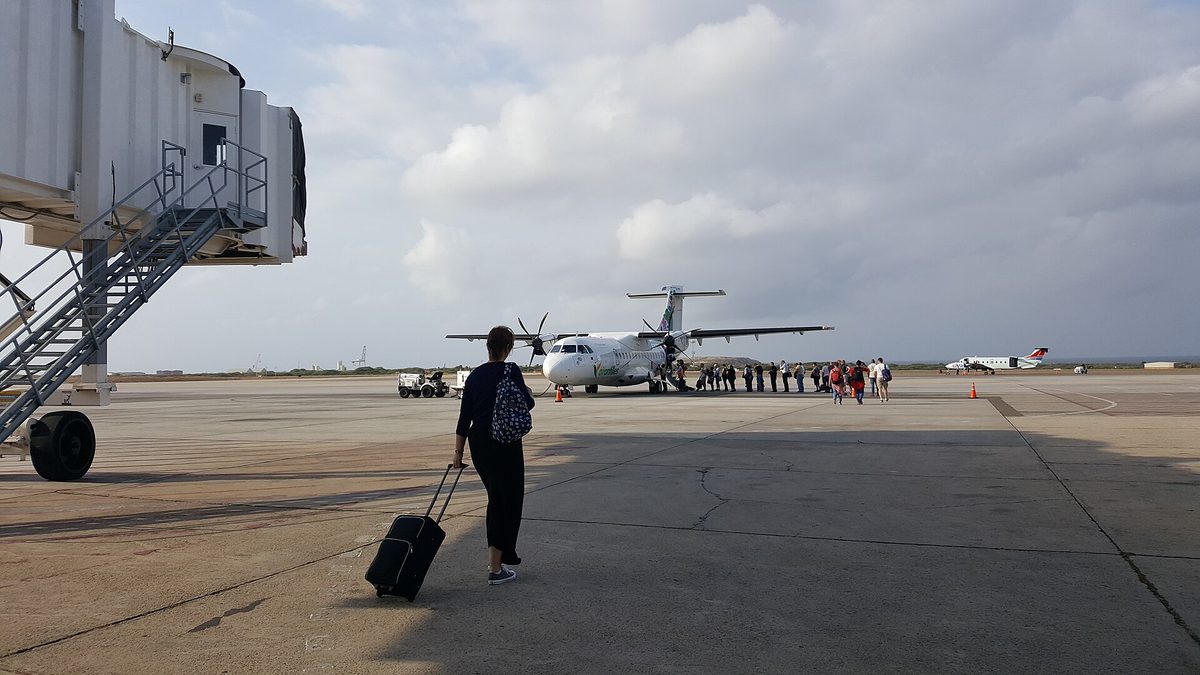
- Traveler arriving at Aruba’s Reina Beatrix airport, ready to buy a local SIM card and get online — Photo: DanielleJWiki / CC BY-SA 4.0 via Wikimedia Commons.
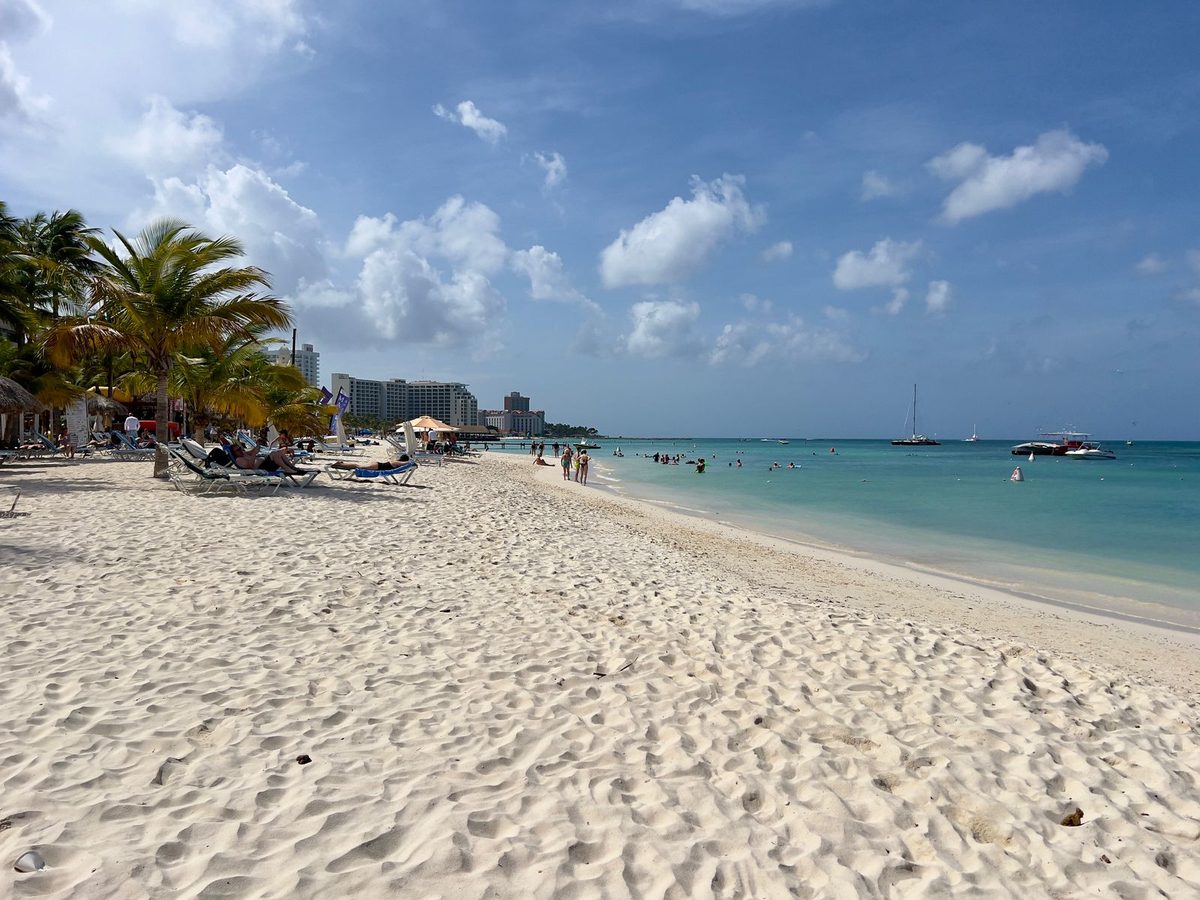
- Palm Beach high-rise hotel zone in Aruba, an area with strong 5G and 4G mobile coverage — Photo: Kwihi / CC BY 4.0 via Wikimedia Commons.
- The iconic fofoti tree on white sand at Eagle Beach Aruba, where resort WiFi rarely reaches and a local aruba sim card keeps you connected — Photo: Jason Boldero / CC BY 2.0 via Wikimedia Commons.